Donation Tracker KDP Interior: Selecting the Right Layout for Your Low Content Business
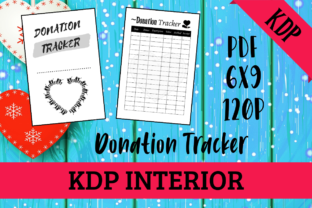
Launching a low or no-content book on Amazon requires more than just uploading a generic PDF; it demands a product that solves a specific problem for a niche audience. For those targeting the fundraising, nonprofit, or personal philanthropy sectors, a Donation Tracker KDP Interior serves as an essential tool for organization and accountability. This specific type of interior is designed to help users log contributions, track donor information, and monitor fundraising goals without relying on complex digital software. However, the difference between a bestseller and a returned book often lies in the technical execution and usability of the interior design.
Many creators enter this space assuming that any table-based layout will suffice. This assumption is the first hurdle to overcome. A functional donation tracker must balance aesthetic appeal with rigorous practical utility. When you are evaluating or creating a Donation Tracker KDP Interior, understanding the nuances of print specifications and user behavior is what separates professional publishers from amateurs. The following insights address common pitfalls and provide corrective strategies to ensure your 120-page, 6x9 no-bleed book is truly ready for printing and profitable.
The Critical Importance of Trim Size and Bleed Settings
One of the most frequent technical errors involves misunderstanding how trim size interacts with margin requirements. A 6x9 inch book with no bleed is the industry standard for journals and trackers because it offers ample writing space while remaining portable. However, "no bleed" does not mean you can utilize the entire 6x9 canvas for content.
A common mistake is placing tracking tables or header text too close to the gutter (the inner binding edge). In a 120-page book, the paper thickness creates a significant curve near the spine. If your Donation Tracker KDP Interior has columns extending within 0.375 inches of the gutter, users will struggle to write in those spaces, rendering the tracker frustrating to use. Furthermore, if decorative elements touch the edge of the page without proper bleed settings selected during upload, KDP’s automated review system may flag the file or, worse, print it with unintended white borders or cropped graphics.
Corrective Approach: Always design with safety margins in mind. For a 6x9 no-bleed interior, maintain a minimum inside margin of 0.75 inches to account for binding curvature. Ensure all four variants of your PDF files adhere strictly to these dimensions. Before finalizing, print a test copy at actual size on standard letter paper, cut it down to 6x9, and physically bind it with clips to simulate the gutter loss. If you cannot comfortably write in every cell, adjust your margins immediately.
Evaluating Usability Over Aesthetic Complexity
In the pursuit of making a book look "professional," many designers overcomplicate the tracking tables. They add excessive shading, intricate borders, or tiny fonts to fit more data points per page. While this may look impressive on a screen, it often fails in print. High-contrast black ink on white paper is standard for KDP, but heavy ink coverage can cause bleed-through on 55# cream or white paper, especially when users employ gel pens or markers.
Another usability oversight is failing to consider the cognitive load of the user. A donation tracker is a functional document, not a novel. If a user has to flip back and forth between pages to understand column headers, or if the date format is ambiguous, the book loses value. Some interiors omit crucial fields like "Method of Payment," "Tax Receipt Number," or "Follow-Up Date," forcing users to write in margins and defeating the purpose of a structured tracker.
Better Choice: Prioritize whitespace and clarity. Use clean, sans-serif fonts at a minimum of 10pt size for table content. Test your Donation Tracker KDP Interior by actually filling out five entries. Does the flow make sense? Are the columns wide enough for handwriting? Providing 4 different variants of PDF files is an excellent strategy here; use them to offer different levels of detail. One variant might be a simple log for casual donors, while another includes detailed tax categorization for professionals. This versatility increases the perceived value of your single listing.
Technical Validation Before Upload
Even a perfectly designed interior can fail if the file preparation is flawed. "Ready for printing" is a claim that must be verified, not assumed. Many creators rely solely on the KDP Previewer, which is a useful tool but not infallible. It does not always catch issues related to font embedding or color profiles.
- Font Embedding: Ensure all fonts are embedded in the PDF. If you use a custom font for headers and it isn't embedded, KDP may substitute it, ruining your layout alignment.
- Color Profile: Even for black and white interiors, ensure your PDF is set to grayscale or CMYK rather than RGB. RGB blacks can sometimes print as dark gray or cause processing delays.
- Page Count Verification: Confirm your PDF is exactly 120 pages. A discrepancy of even one page can cause the spine width calculation to be incorrect if you later decide to add a cover wrap.
- Hyperlink Removal: Interactive PDFs are great for digital products, but hyperlinks in a printed KDP book are non-functional and can appear as ugly blue underlined text. Flatten your PDFs to remove all interactive elements before upload.
Strategic Differentiation Through Variants
Offering 4 different variants of PDF files is a significant advantage, but only if the differences are meaningful. A common error is creating "variants" that are merely cosmetic changes, such as swapping a circle checkbox for a square one. This does not justify a higher price point or attract different customer segments.
To maximize the potential of your Donation Tracker KDP Interior, structure your variants around distinct user needs. Consider the following differentiation strategy:
- The Minimalist Log: Focused purely on date, amount, and recipient. Ideal for personal budgeting or small hobbyists.
- The Campaign Tracker: Includes fields for goal tracking, percentage complete, and milestone notes. Perfect for specific fundraising events.
- The Donor Relationship Manager: Emphasizes contact info, last gift date, and thank-you note status. Suited for nonprofit volunteers.
- The Tax Compliance Edition: Features dedicated columns for EIN numbers, deduction categories, and receipt verification. Targeted at accountants or serious philanthropists.
By aligning your variants with specific intents, you move beyond generic competition. You are no longer selling a "tracker"; you are selling a solution to a specific organizational pain point. This approach aligns with Google’s Helpful Content guidelines by demonstrating genuine expertise and addressing real-world user scenarios rather than just targeting keywords.
Making an Informed Decision
Before you commit to purchasing or publishing a Donation Tracker KDP Interior, conduct a thorough audit. If you are buying a pre-made template, request sample pages to verify margin safety and font legibility. Ask the seller specifically about the bleed settings and whether the files have been tested via KDP’s previewer. If you are designing it yourself, invest time in user testing. Give a printed prototype to someone in your target demographic and watch them use it without instruction.
Remember that quality in the low-content niche is defined by friction reduction. Every design choice should aim to make the act of tracking donations easier, faster, and more accurate. By avoiding technical oversights, prioritizing functional usability, and strategically leveraging your 4 PDF variants, you create a product that stands up to scrutiny and delivers lasting value. This diligence is what transforms a simple 120-page document into a sustainable asset for your publishing business.